
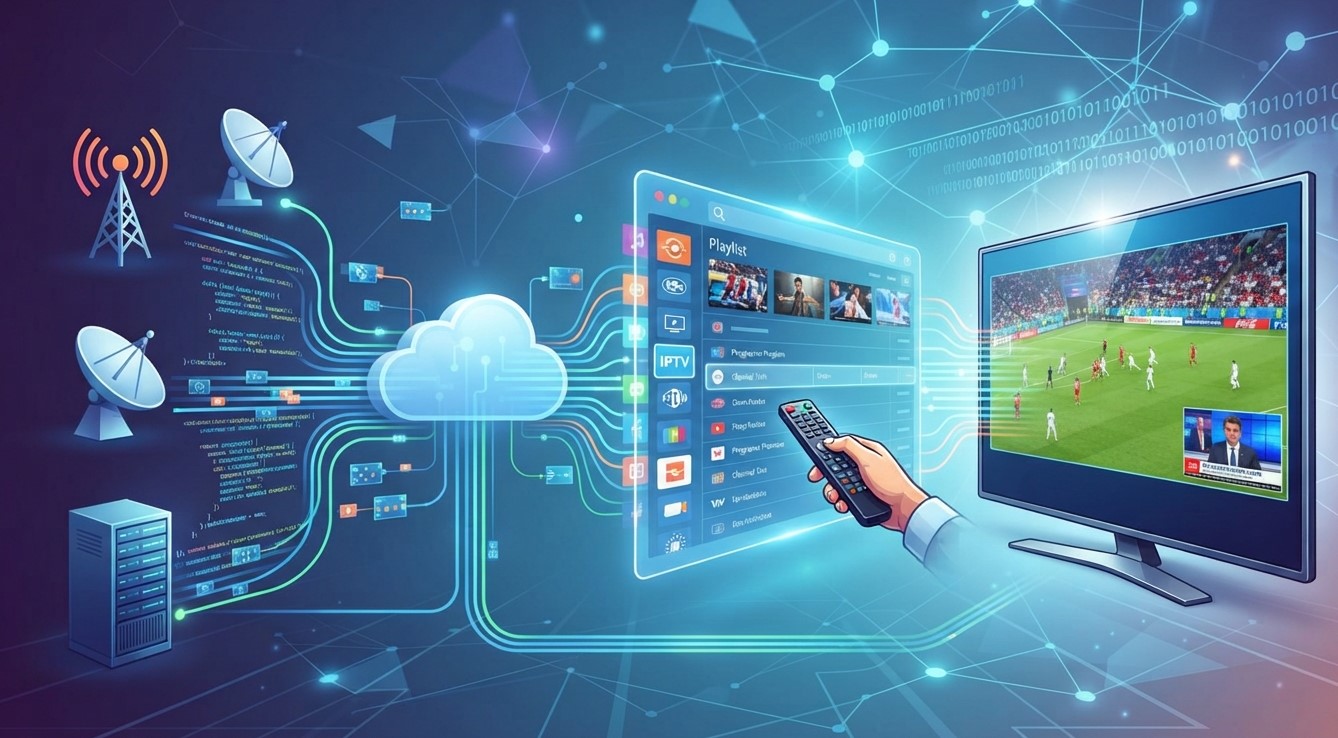
IPTV has changed the way people access television content by allowing them to stream channels and on-demand media through an internet connection. One important part of this technology is the IPTV playlist, which helps compatible applications organize and play available content.
If you are exploring a new IPTV Service or searching for the Best IPTV option, understanding how playlists work can help you make informed decisions. This guide explains what an IPTV playlist is, how it works, its common formats, and what to consider before using one.
Table of Contents
- What Is an IPTV Playlist?
- How Does an IPTV Playlist Work?
- Common IPTV Playlist Formats
- What Information Does a Playlist Contain?
- How to Use an IPTV Playlist
- Benefits of IPTV Playlists
- Common IPTV Playlist Problems
- Tips for Choosing a Reliable IPTV Service
- Frequently Asked Questions
- Final Thoughts
1. What Is an IPTV Playlist?
An IPTV playlist is a file or link containing information about television channels and other streaming content available through an IPTV-compatible application.
It works like a directory that tells a media player where to find particular streams. Instead of manually searching for individual channels, users can load a playlist into a compatible player and browse the available content in an organized interface.
IPTV playlists commonly contain links to live television streams, while some may also include video-on-demand content and program information.
It is important to understand that a playlist does not necessarily contain the actual video files. It usually provides links or instructions that help the application access streams from their respective sources.
2. How Does an IPTV Playlist Work?
An IPTV playlist connects a compatible media player to streaming sources through an internet connection.
Here is how the process generally works:
- Playlist Access: A user receives an IPTV playlist file or URL from a provider.
- Application Setup: The playlist is added to a compatible IPTV player.
- Content Organization: The application reads the playlist and displays available channels or categories.
- Stream Selection: The user chooses a channel or program.
- Video Playback: The application connects to the stream source and plays the content.
The quality of playback depends on several factors, including internet speed, server performance, device capabilities, and stream quality.
3. Common IPTV Playlist Formats
IPTV playlists are available in different formats. Two commonly used options are:
M3U and M3U8
M3U is a widely recognized playlist format used by many media players. It contains references to media streams and may include additional information, such as channel names and categories.
M3U8 is a UTF-8 encoded version commonly associated with HTTP Live Streaming (HLS). It can support streaming workflows that adjust video quality according to network conditions.
XMLTV
XMLTV is not a video playlist format. Instead, it is commonly used to provide electronic program guide (EPG) information, including program titles, descriptions, and scheduled broadcast times.
Some IPTV applications allow users to combine playlist information with an XMLTV guide for easier navigation.
4. What Information Does a Playlist Contain?
Depending on its format and provider, an IPTV playlist may include:
- Channel names and identifiers
- Streaming URLs
- Channel logos
- Category or group information
- Language details
- Program guide references
- Metadata used by compatible applications
The information available depends on how the playlist was created and maintained. Some playlists are basic, while others contain additional details that make browsing easier.
5. How to Use an IPTV Playlist
Using an IPTV playlist is generally straightforward when you have a compatible application and an authorized playlist.
Follow these steps:
- Choose an IPTV player from a trusted source or official app store.
- Obtain a playlist file or URL from a legitimate provider.
- Open the application and find its playlist or source-management option.
- Enter the playlist URL or upload the supported file.
- Allow the application to process the playlist.
- Browse the available categories and select content to play.
Remember that an IPTV player and an IPTV content provider are not necessarily the same thing. A player organizes and plays streams, while the provider must have the appropriate rights to distribute the content.
6. Benefits of IPTV Playlists
IPTV playlists offer several practical advantages:
- Organized Content: Channels can be grouped into categories for easier browsing.
- Convenient Access: Users can access available streams through one compatible application.
- Flexible Formats: Many players support commonly used playlist formats.
- Simplified Navigation: Channel names, logos, and program information can improve the viewing experience.
- Device Compatibility: Depending on the player and playlist, content may be accessible on supported smart TVs, computers, and mobile devices.
These benefits make playlists an important part of many IPTV streaming setups.
7. Common IPTV Playlist Problems
Sometimes, an IPTV playlist may not work as expected. Here are common issues and possible solutions.
Playlist Not Loading
Check whether the playlist URL is correct and whether your internet connection is working. You can also refresh or reload the playlist.
Channels Not Playing
A stream may be unavailable, expired, or temporarily offline. Contact the provider if the issue continues.
Buffering and Freezing
Slow internet speeds, network congestion, or server problems can interrupt playback. Try using a stable connection and reducing video quality if the application supports it.
Missing Channel Information
Some playlists do not include logos, categories, or program guide data. Check whether your application supports additional EPG information.
8. Tips for Choosing a Reliable IPTV Service
If you are comparing IPTV providers, do not focus only on the number of channels. Consider these important factors:
- Content Authorization: Confirm that the provider has the necessary rights to distribute its content.
- Compatibility: Check whether the service supports your preferred devices and applications.
- Streaming Quality: Review available quality options and realistic performance expectations.
- Customer Support: Look for clear support channels and troubleshooting assistance.
- Transparent Pricing: Understand subscription costs, renewal conditions, and refund policies.
- Privacy: Review how the provider handles personal information and payment details.
Choosing carefully can help you find an IPTV Service that matches your viewing preferences while avoiding unreliable or unauthorized sources.
9. Frequently Asked Questions
What is an IPTV playlist used for?
An IPTV playlist organizes links to available television streams so compatible applications can display and play them.
What is an M3U playlist?
An M3U playlist is a text-based file containing media references and optional information, such as channel names and categories.
Do IPTV playlists contain actual videos?
Usually, no. They generally contain links or references to streams hosted elsewhere.
Can I use an IPTV playlist on a smart TV?
Yes, if your smart TV supports a compatible IPTV application and the playlist uses a supported format.
Why does my IPTV playlist stop working?
Possible reasons include expired links, unavailable streams, internet problems, or changes made by the provider.
Is an IPTV playlist legal?
The playlist format itself is legal. However, the legality of the content depends on whether the provider has the necessary distribution rights and complies with applicable laws.
10. Final Thoughts
An IPTV playlist is an essential tool for organizing and accessing streaming content through compatible applications. Formats such as M3U and M3U8 make it easier to manage channel links, while EPG information can improve navigation and program discovery.
Before selecting the Best IPTV option, check playlist compatibility, streaming performance, provider transparency, and content authorization. A little research can help you enjoy a smoother and more informed streaming experience.
Explore SmartiFilix
Looking for an IPTV option that matches your viewing needs? Explore SmartiFilix to review its available plans, features, and compatibility information. Before subscribing, confirm that your preferred devices are supported and that the content offered is properly authorized in your region.
Visit SmartiFilix to learn more and explore the available options.
 alia22
 bnbindia