
Gaming is no longer limited to the hardware installed inside a user’s home computer. With the growth of remote computing, players can access powerful machines through the internet and use them for gaming, productivity, and other demanding workloads.
A cloud based gaming service moves much of the processing away from the user’s local device. Instead of requiring a high-end GPU at home, the game can run on remote infrastructure and stream the resulting experience to a compatible device.
How a Cloud Based Gaming Service Works
A cloud based gaming service typically runs games on remote servers equipped with capable CPUs, GPUs, memory, and storage. When a player starts a session, the game runs on the remote machine while video and audio are streamed to the player’s device.
Inputs such as keyboard commands, mouse movements, and controller actions are sent back to the remote computer.
This approach can reduce the importance of local hardware specifications, but it makes internet performance more important. Connection stability, bandwidth, latency, and server location can all affect the gaming experience.
Cloud PC for Personal Use
A cloud PC for personal use is essentially a remotely hosted computer that an individual can access over the internet. Unlike a service focused only on delivering individual games, a personal cloud PC can provide a broader computing environment.
Depending on the configuration, users may be able to install applications, manage files, browse the web, work remotely, or use demanding software.
For gamers, a personal cloud PC can also provide access to a remote gaming environment without requiring a dedicated gaming desktop at home.
This flexibility makes cloud PCs useful for people who want one remotely accessible computer for several purposes rather than a separate machine for every workload.
What Is an Online PC?
An online PC is a computer environment that can be accessed remotely through an internet connection. The physical hardware may be located in a data center rather than the user’s home or office.
The concept can cover several types of services, from simple virtual desktops to powerful GPU-enabled machines.
For users with an older laptop or lightweight computer, an online PC can provide access to computing resources that exceed the capabilities of their local hardware. The actual experience depends on the provider’s infrastructure and the resources assigned to the remote machine.
GPU Cloud Computer for Demanding Workloads
A GPU cloud computer is designed to provide access to graphics processing hardware hosted remotely. GPUs are useful not only for gaming but also for 3D applications, video processing, AI workloads, simulations, and other compute-intensive tasks.
For gaming, the GPU handles graphics rendering on the remote machine before the output is streamed to the user.
When comparing GPU cloud computer options, users should examine the actual GPU model, available memory, CPU resources, storage, server location, and pricing. A powerful GPU is useful, but it cannot compensate for an unstable or high-latency connection.
Why Use Cloud Computing Instead of Local Hardware?
There are several reasons someone might choose a cloud PC over purchasing another physical computer.
Lower upfront hardware investment: Users do not necessarily need to purchase a high-end GPU or gaming desktop.
Remote access: A cloud PC can potentially be accessed from different compatible devices and locations.
Flexible resources: Users can select computing resources according to their requirements.
Multiple workloads: A personal cloud PC may support gaming, productivity, development, and creative applications.
Simpler hardware management: The physical server infrastructure is maintained by the cloud provider rather than the individual user.
However, cloud computing also has trade-offs. Reliable internet access is essential, and recurring usage costs can add up for people who use a remote PC continuously.
Exploring SensePC
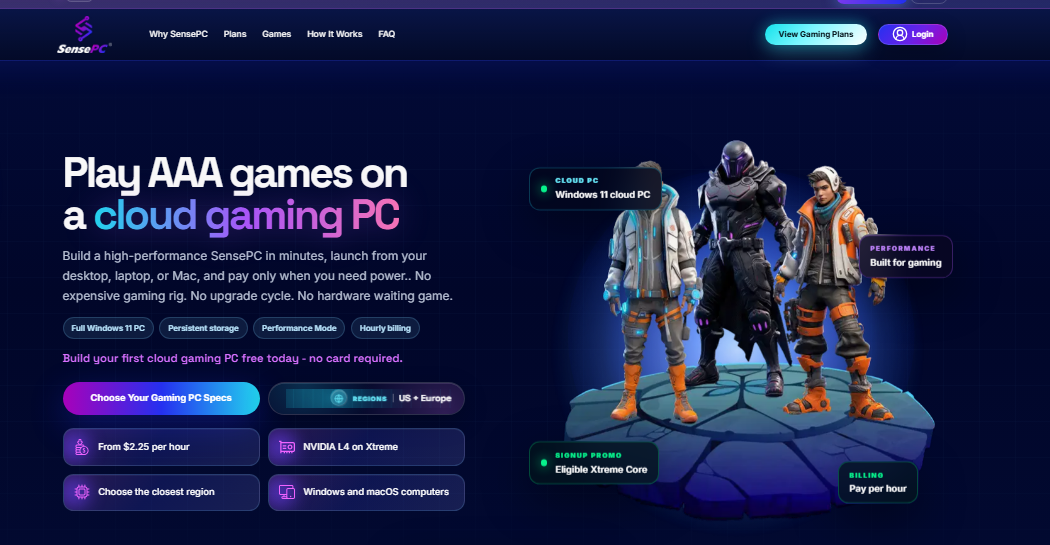
SensePC provides cloud PC environments designed to give users remote access to computing resources. For someone looking for a cloud PC for personal use, this type of service can provide an alternative to purchasing and maintaining a dedicated high-performance computer.
Gamers should still evaluate the available hardware, latency, supported software, storage, and pricing before selecting any provider. Different workloads can require very different configurations.
Choosing the Right Cloud PC
The ideal setup depends on what the user actually intends to do. A casual user may need only modest computing resources, while someone running modern games or GPU-intensive applications may require significantly more powerful hardware.
For gaming, GPU performance and network latency deserve particular attention. For productivity, RAM, storage, operating-system compatibility, and application support may be more important.
It is also worth checking whether billing is based on usage, a monthly subscription, or another model. Understanding these details helps users estimate the real cost of maintaining an online PC.
Final Thoughts
A cloud based gaming service can provide an alternative to relying entirely on local gaming hardware, while a cloud PC for personal use can offer a broader remote computing environment. For demanding applications, a GPU cloud computer extends access to powerful graphics hardware without requiring the physical GPU to be installed locally.
As remote computing continues to develop, online PC services such as SensePC give users another way to access powerful computers from wherever a suitable internet connection is available.
 Danish006
  WearableOutfit
  hindustan228